







channels · FAST
Noisypeak Playout
Seven minutes, and the channel is yours. You don't need a playout suite, an engineering team or a long contract.
Noisypeak Playout is built for people who have never run a television channel. If you have a library on YouTube, on a drive or in an archive, you have everything it needs. Name the channel, give it a look, add content and check it over. The playout, schedule, guide and stream are built as you finish. It takes about seven minutes and there's no sales call: that is myfast.ch, our self-serve front door, from $249 a month.
The same platform runs 200+ channels on 40+ distribution platforms for broadcasters, rights holders and distributors. Archive channels, themed side channels and event channels are licensed or operated for them, with what their engineers expect underneath: SCTE-35 ad markers, multi-bitrate HLS and DASH, EPG, rule-based overlays and live insertion. Simple to start with, broadcast-grade underneath.
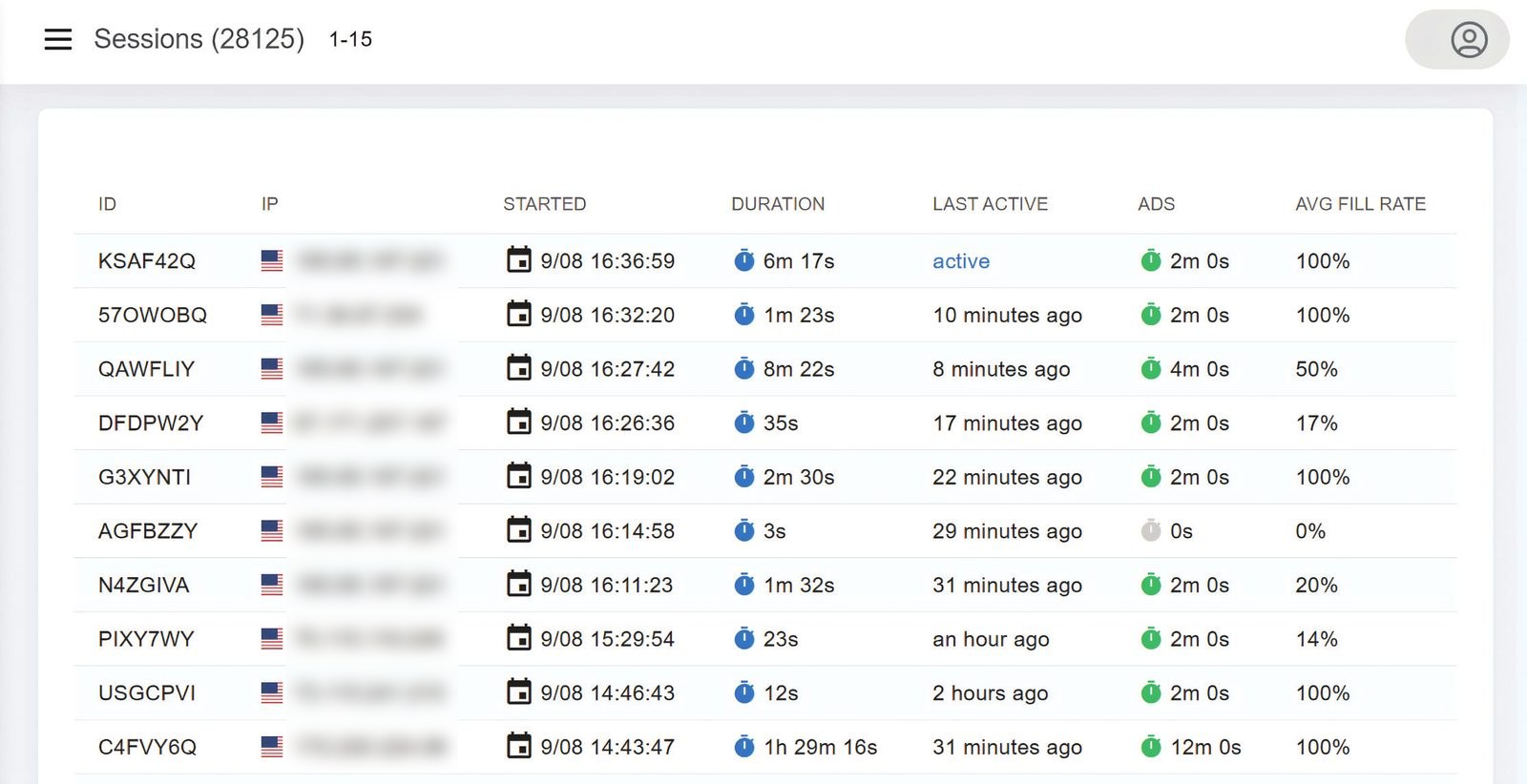
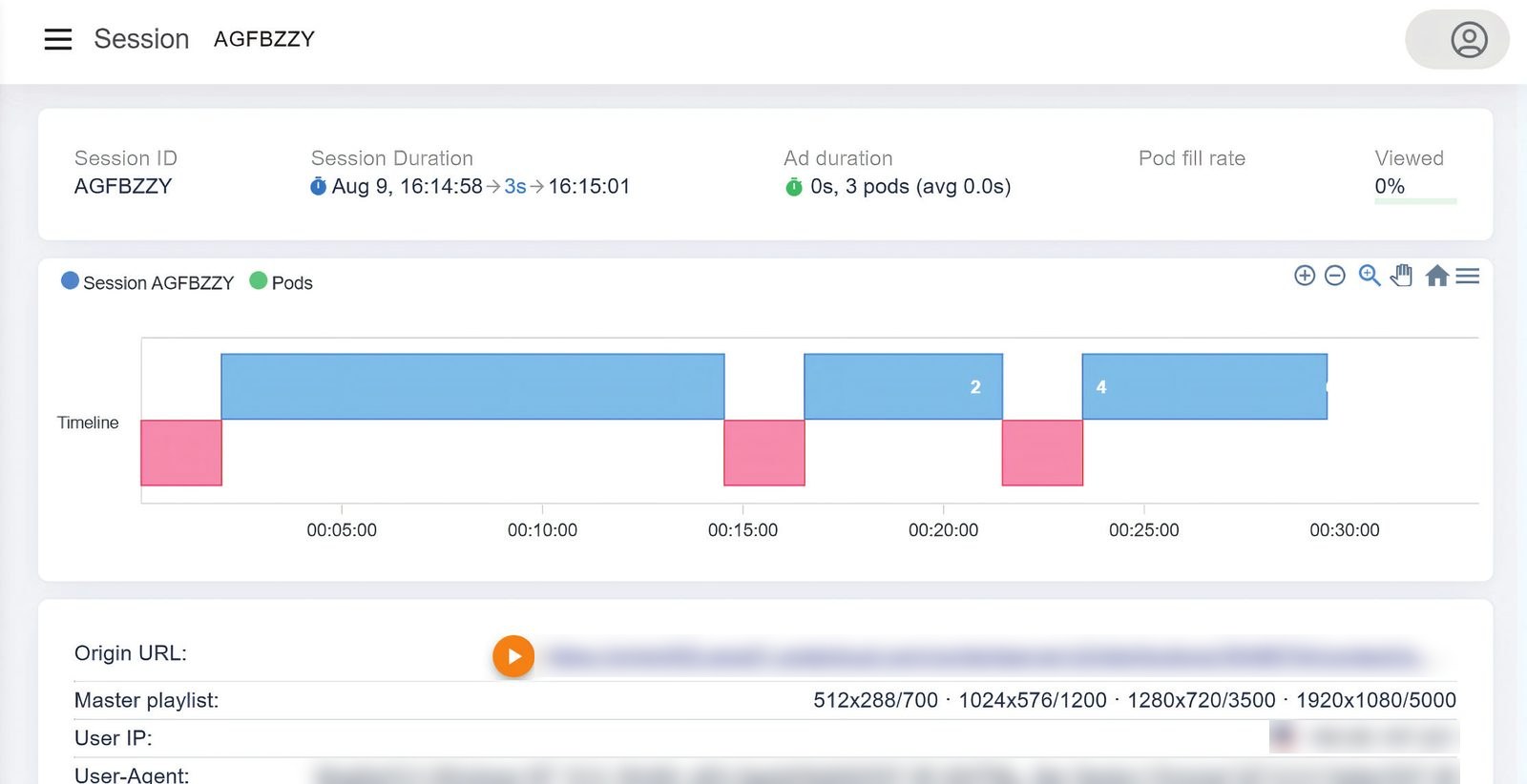
Viewers land mid-programme, so sessions run for hours rather than minutes.
Ad breaks run around the clock, so the archive earns overnight and on weekday mornings.
A slot in the smart-TV guide beside the broadcasters.
An old film in an evening slot is programming; in a list, it is a search result nobody runs.
From a library to a channel, in five steps
You do not need to know how a broadcast playout works. First you name the channel and pick a genre. Then you give it a look: fonts, palette and on-screen graphics. You add content, either a cleared library or your own videos, and check it all on one screen, where everything is still editable. Playout, schedule, guide and stream are built as you finish.
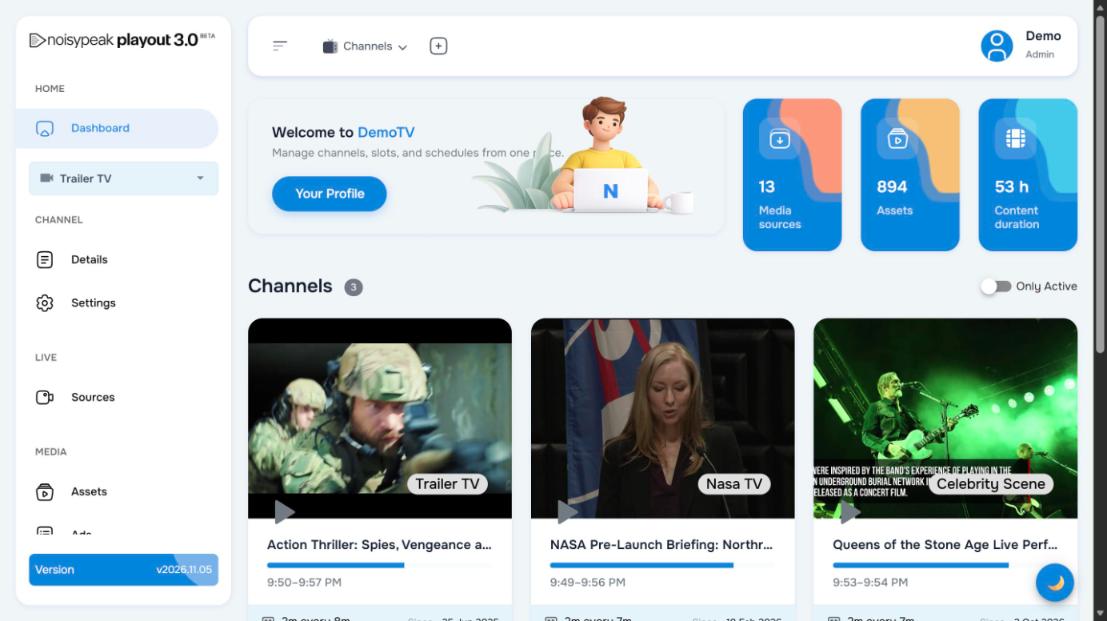
From there each channel has one dashboard: what is on air now, what comes next, live and VOD slots for the day, the last assets that arrived. Sources, assets, graphics and ads are one click away. One person runs it.
- Name it
- Give it a look
- Add content
- Check it over
- Plan and account
Scheduling that runs itself
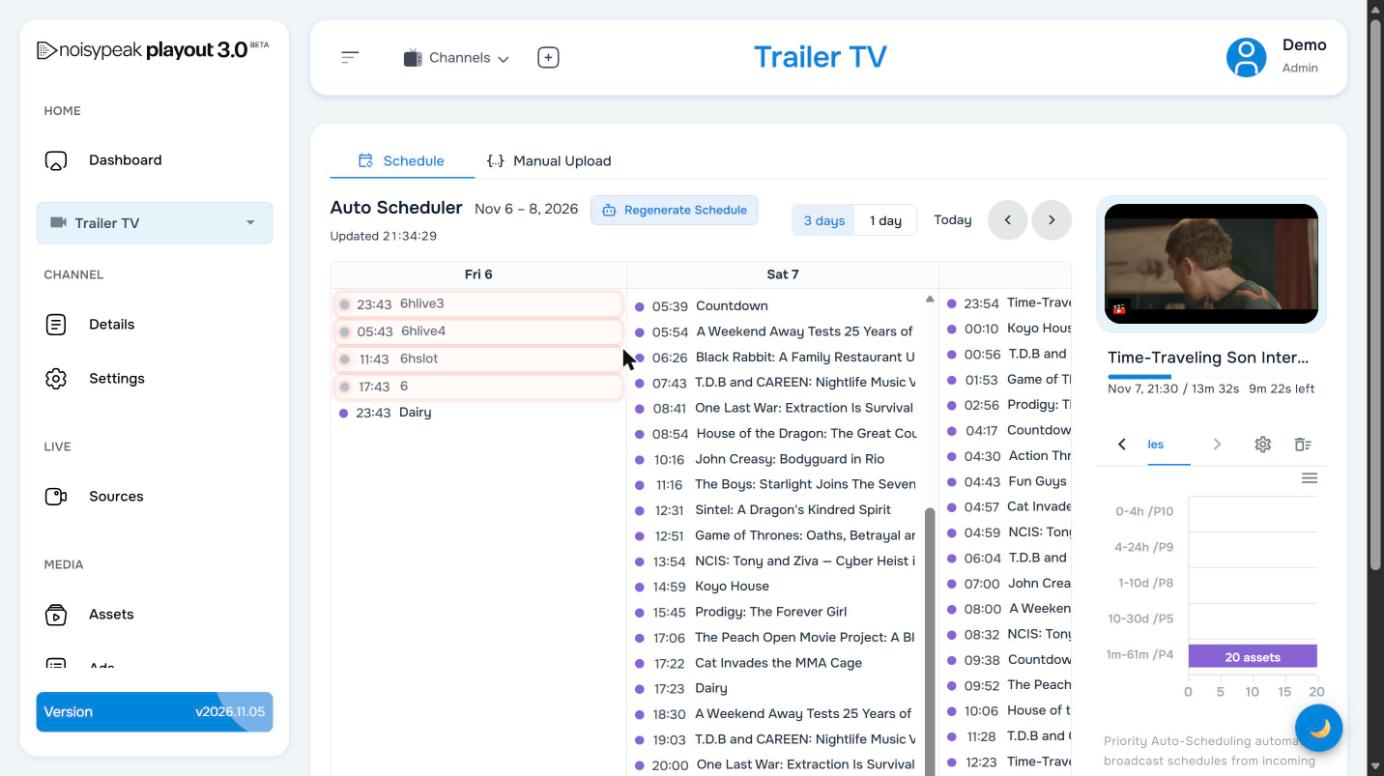
The Auto Scheduler fills a rolling three-day timeline from your content, 24/7, with zero touch. Every asset carries a priority from 1 to 10. By default the newest content ranks highest, so the channel leads with what just arrived and still rotates the back catalogue. You can regenerate at any time (after a big upload, say, or before a weekend) and the timeline rewrites itself.
Want a program at a fixed time? Place it; the scheduler flows around it. Programs are timed to the second and the preview shows what is on air with the time remaining.
Content the system actually understands: Meta
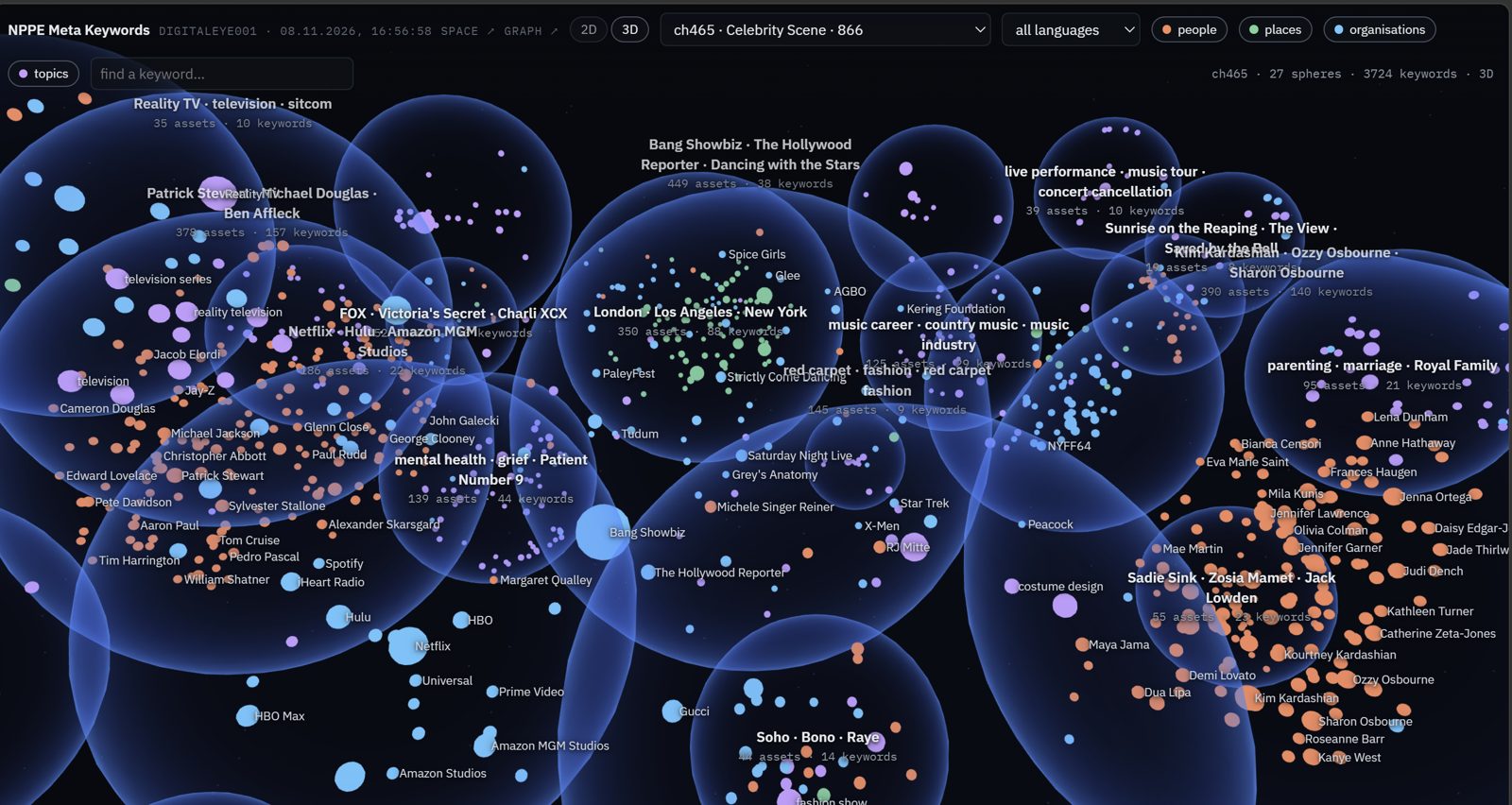
Behind enrichment sits Meta, the Noisypeak content-understanding engine. It keeps one model of your whole library, covering every title, scene, face, keyword, place, organisation and topic in six languages, and scheduling, ad targeting and promotion all read from it. NPPE runs every new asset through its nine stages (Extract, Vision, Audio, Cue, Fusion, Reelgen, Refine, Localize, Keyart). It writes back a summary and tease line, keywords, the most interesting moments, three short promo reels, key art and metadata, 100% automatically, in about a minute per asset.
The same understanding drives the rest of the channel end to end: who appears and what is discussed decides where an ad break can go and which ads fit; topics and people cluster the library so the scheduler can build an evening that hangs together; the poster and the short that promote a program come from the frames Meta ranked highest. Subtitles and full language translation are coming soon.
- Meta: people, places, organisations, topics and keywords across the whole library
- Summaries, key moments, key art and three promo shorts per asset
- Metadata in six languages; subtitles and translation coming soon
- One understanding feeds scheduling, ad targeting and promotion
Ads placed where they belong
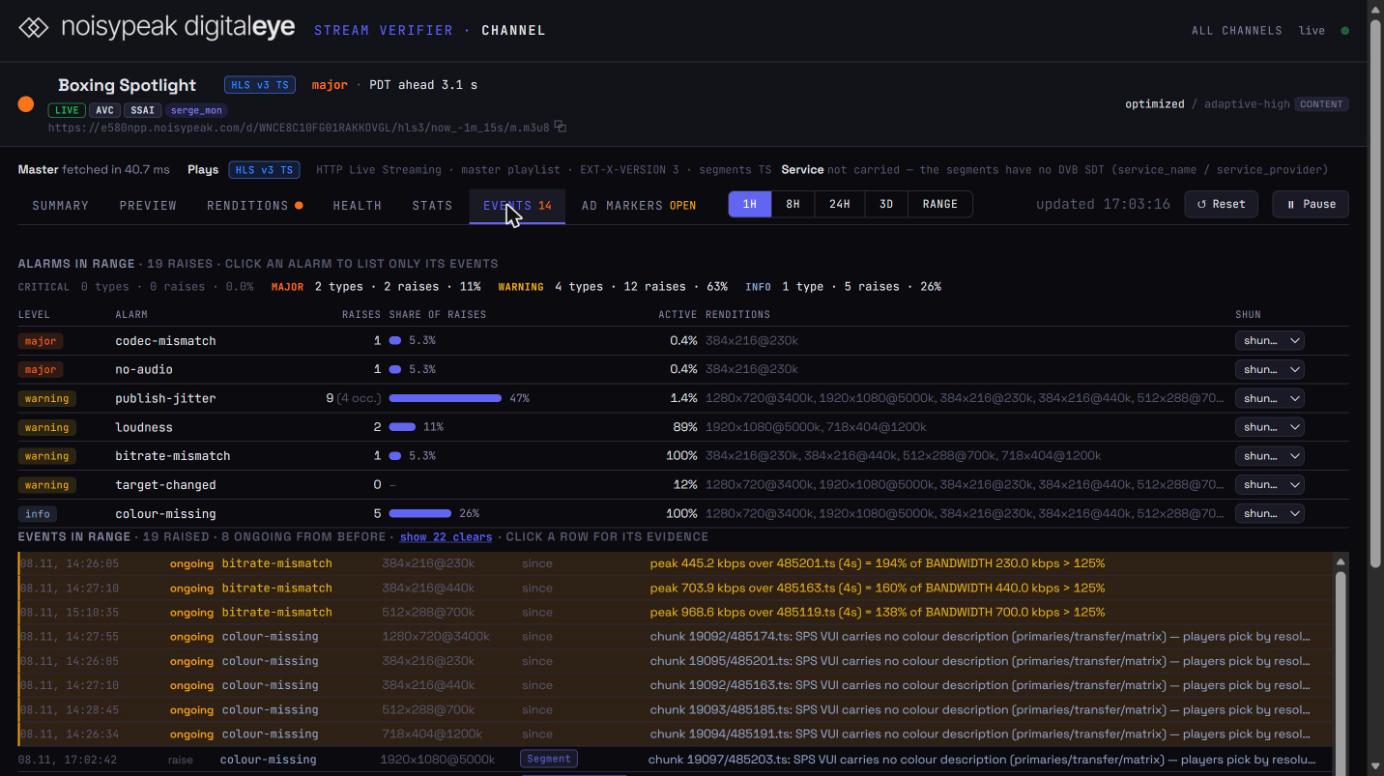
Ad breaks are placed by understanding the content rather than by a stopwatch. The markers avoid dialogue and mid-scene cuts, so the break lands between thoughts and the viewer stays. Breaks are signalled with SCTE-35 in the output. Prism X, the Noisypeak server-side ad insertion, fills them per viewer against your SSP/DSP, live and VOD, so the same channel carries a different ad mix on every platform and device. Client-side insertion is supported where a platform requires it.
- Content-aware ad markers, SCTE-35 signalled
- Prism X SSAI: a different ad mix per viewer
- Rule-based break patterns per channel
Broadcast-level graphics, by rule
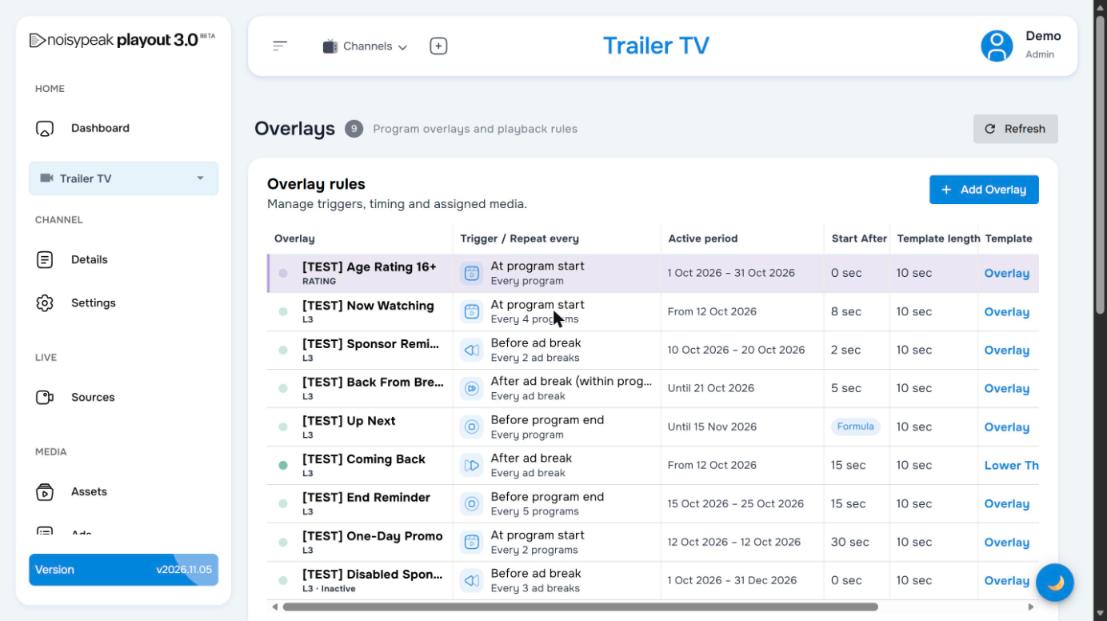
Program announcements, Up Next, lower thirds, advisory and age badges, sponsor reminders and back-from-break bugs are defined once as rules. A rule has a trigger (program start, before or after an ad break, before program end), a repeat, an active period and a template. After that the overlays run themselves for the whole campaign window, and nobody has to sit at a graphics desk.
Live, from a studio or a browser
Want to talk to your audience or host a guest? Register a live source and schedule a live slot at an exact time. VOD programs fill around it and ad breaks run across both. Stream from OBS Studio or any encoder. For the simplest start you can broadcast straight from your browser with no extra software. Live and VOD are interleaved in one channel with one output.
- Live slots to the minute, fixed in the timeline
- OBS, any RTMP/SRT encoder, or the browser
- One continuous output with ads across live and VOD
Any source in, every platform out
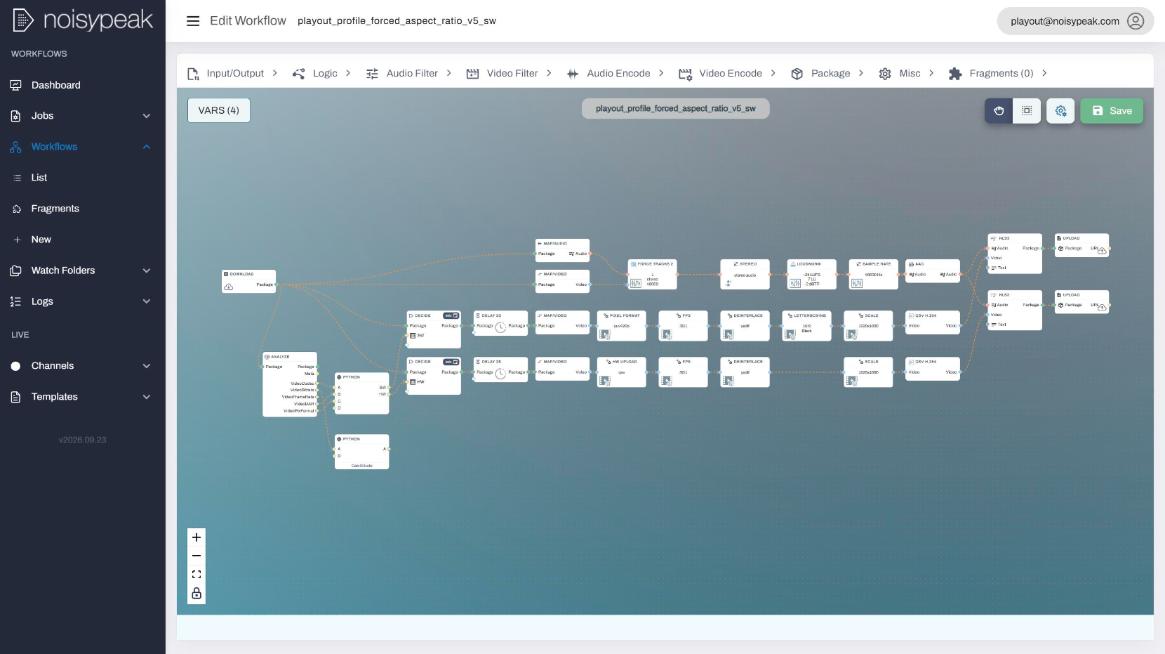
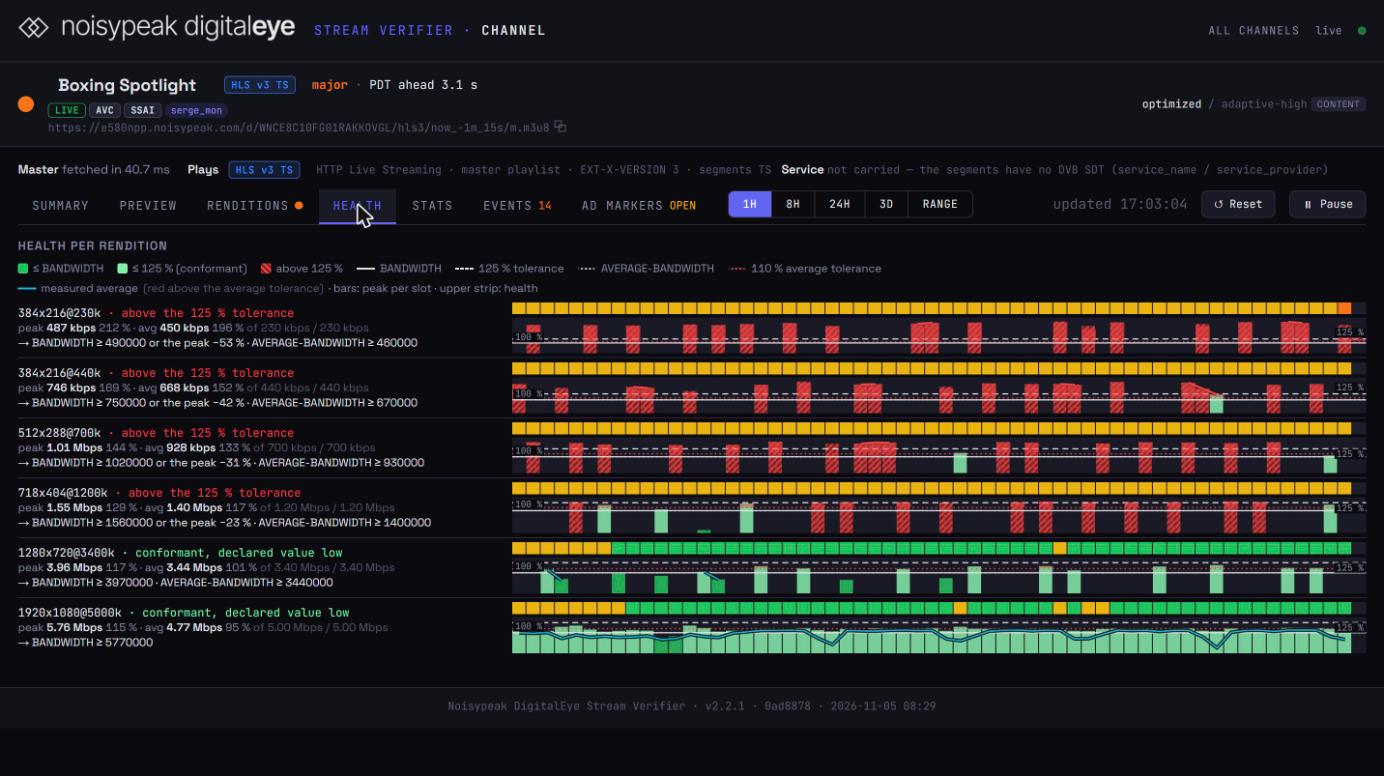
Playout runs on Media2Flow, the Noisypeak workflow transcoding platform. Whatever arrives, in any codec, container or resolution, is processed into six multi-bitrate renditions for HLS and DASH, with audio levelling, multiple audio languages and subtitle tracks.
The channel and its always-current EPG (your metadata or the system's) are then delivered to Samsung TV Plus, LocalNow, set-top boxes, mobile, web and smart TVs, with per-platform variants from one schedule.
- Upload, MRSS, S3, FTP, HTTP, Aspera in
- 6 ABR renditions, HLS and DASH, levelled audio
- EPG generated and kept up to date on every platform
Features
Start from a YouTube library or a broadcast archive. Name the channel, give it a look, add content, and it is on air. You don't need a playout suite, an engineering team or a long contract.
24/7 AI-assisted scheduling builds the most favourable timeline for your content and keeps it fresh, without a programming desk.
Ad markers are placed by understanding the content, so they avoid dialogue and mid-scene cuts. Each viewer is monetised with Prism X.
The Meta engine builds one model of your library (people, places, topics, key moments). Scheduling, ad targeting and promotion all read from it, 100% automatically.
Program announcements, lower thirds and advisory badges are included, so the channel looks like real TV.
Talk to your audience or host guests. Stream from OBS Studio or any encoder, or straight from your browser without installing anything.
Programme guide generated with full metadata, yours or the system's, published to every platform.
Metadata in six languages today, so your content travels. Subtitles and translation are coming soon.
Media2Flow processes any input into 6 multi-bitrate HLS and DASH renditions; audio levelling, multi-language, multi-subtitles.
Samsung TV Plus, LocalNow, Roku, Fire TV, LG, set-top boxes, mobile and web: 200+ channels on 40+ distribution platforms.
Specifications
| Ingest | |
|---|---|
| Sources | MRSS · S3 · Aspera · HTTP · FTP · manual upload |
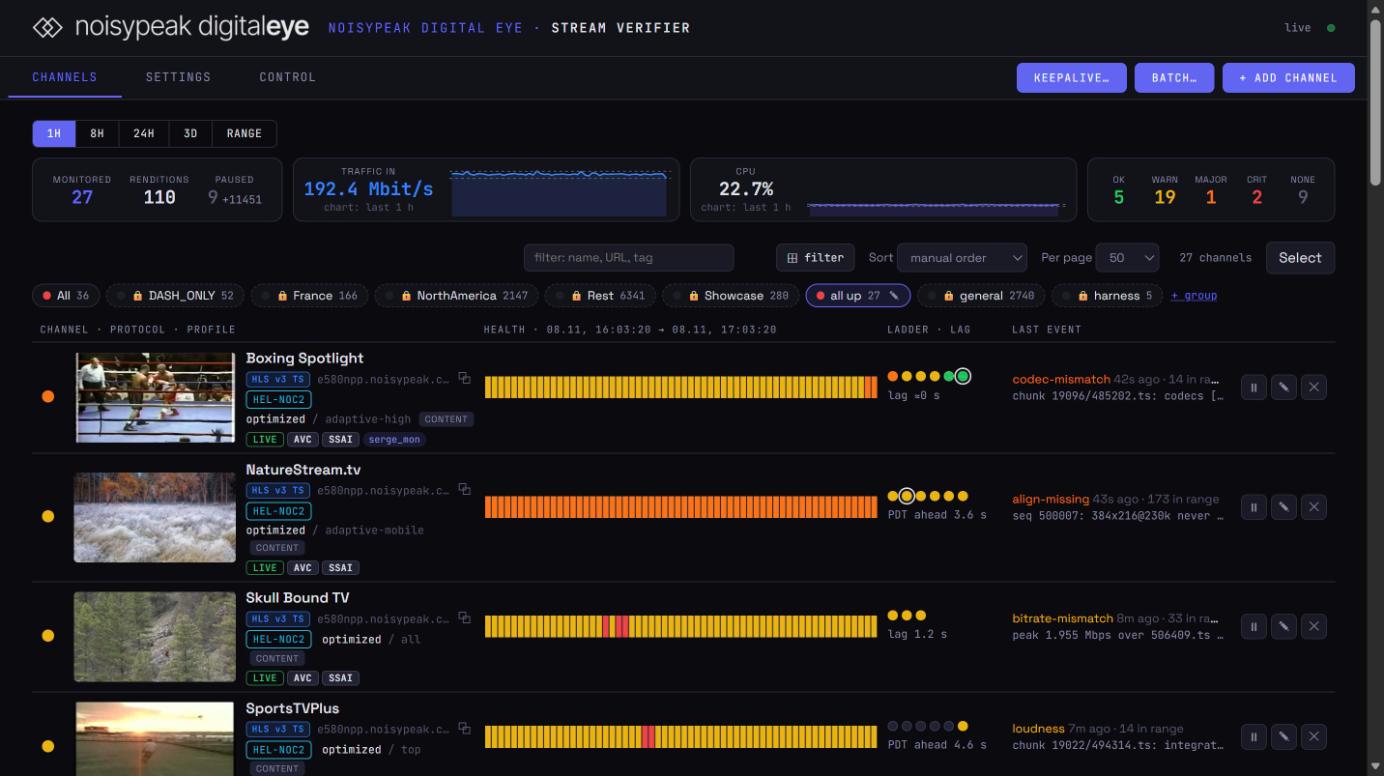
| Preparation | Media transcoding and metadata processing (Media2Flow) · visual and AI enrichment (Digital Eye) |
| Scheduling | |
|---|---|
| Auto Scheduler | Rolling 3-day timeline · 1-day or 3-day view · regenerate on demand |
| Priority | 1–10 per asset; default buckets by age: 0–4 h P10 · 4–24 h P9 · 1–10 d P8 · 10–30 d P5 · older P4 |
| Manual placement | Manual upload at a fixed time; live slots at exact times |
| Graphics and ads | |
|---|---|
| Overlay triggers | At program start · before ad break · after ad break · before program end |
| Overlay options | Repeat every N programs or ad breaks · active period · start-after seconds or formula · template length · Overlay or Lower Third template |
| Ad breaks | Rule-based, e.g. 2 min every 8 min · SCTE-35 markers |
| Ad insertion | Prism X server-side (SSP/DSP e.g. SpringServe, OpenX) · client-side where required |
| NPPE · Digital Eye | |
|---|---|
| Pipeline | Extract → Vision → Audio → Cue → Fusion → Reelgen → Refine → Localize → Keyart |
| Per asset | Tease line · keywords and ad-targeting markers · 3 reels · key art · 6 languages |
| Production figures | 5,184 jobs · 62.8 s per job average |
| Distribution | |
|---|---|
| Output | HLS channels, variants per platform |
| Platforms | Samsung TV Plus · LocalNow · set-top boxes · mobile · PC · smart TV |
| OTT suite | VOD CMS · subscriptions and ads · analytics · DRM and authentication · geo-blocking · iOS, Android, web, Roku, smart TV, Apple TV, Android TV, Fire TV |
Where it is used
A second revenue stream from existing videos: the catalogue becomes a 24/7 channel in the smart-TV guide.
Archive and themed content next to the main brand, with SCTE-35, EPG and broadcast graphics the engineers expect.
Earn in the gaps between licensing deals; every hour carries ads.
Year-round presence with live blocks at fixed times and VOD around them, instead of spikes on event days.
TV reach with measurable ad economics; a permanent public home for a collection.
Talk to us about Noisypeak Playout
We handle evaluation in the Noisypeak cloud, deployment on premises or in a public cloud, integration and support. One team covers the whole pipeline.
sales@noisypeak.com · +41 78 955 27 02 · Brochure · PDF · Self-serve: myfast.ch · fastchannels.tv